
Help With My Tech · Holiday Gift Guide
Make an everyday moment a little easier.
One gift for finding the keys, one for playing a favorite song, and one for keeping the phone in a pocket.
Before you buy a tech gift for an older parent, ask yourself one question: What would they be glad to use on a regular Tuesday? Maybe it’s hearing their favorite music while making breakfast. Maybe it’s seeing who’s calling without fishing around for their phone. Or maybe it’s finally finding the car keys before everyone is ready to leave.
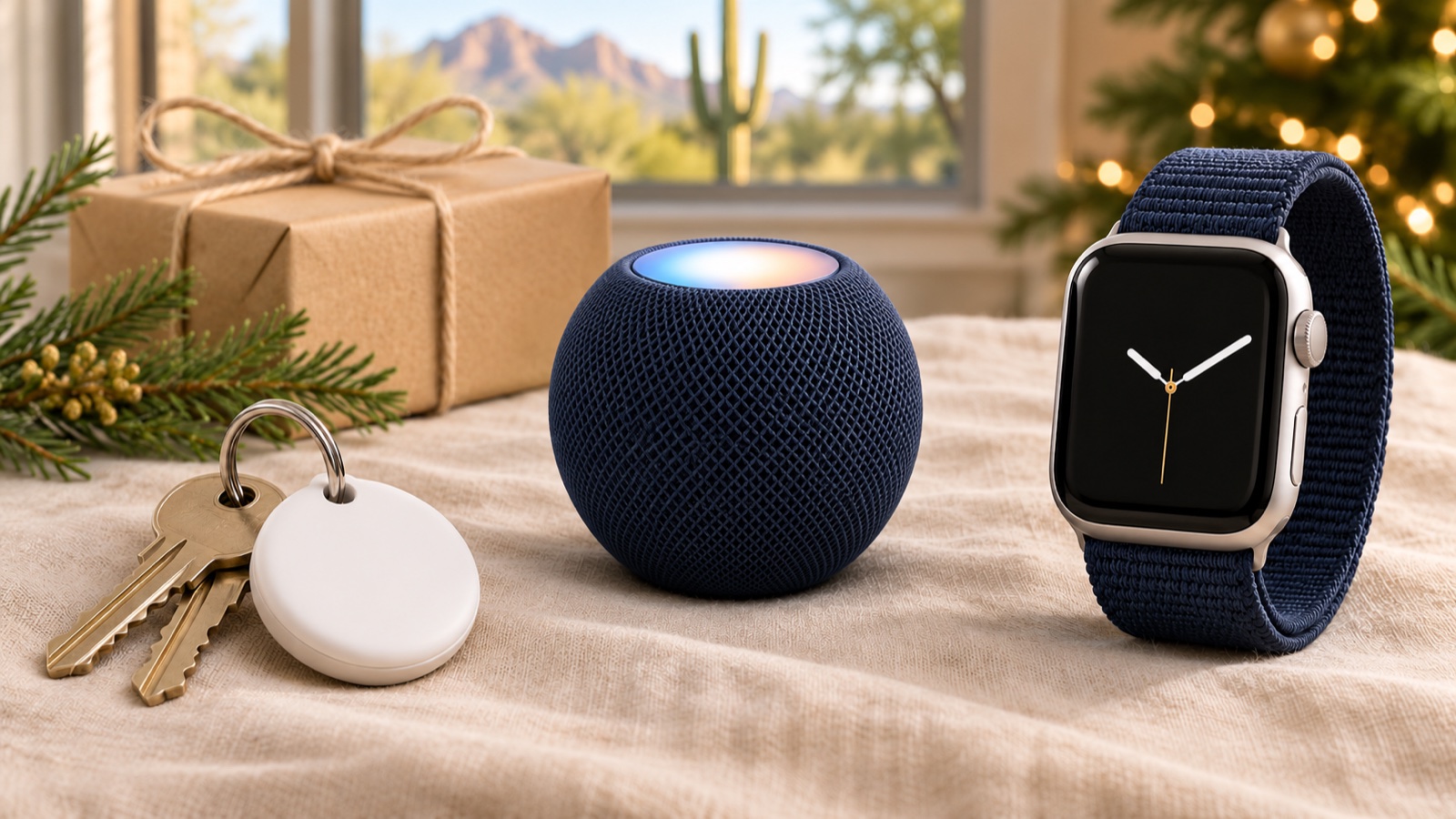
Those are three different problems, which is why we wouldn’t recommend the same Apple gift to everyone. Our picks are an AirTag, a HomePod mini 2, and an Apple Watch SE 3. None needs to be the fanciest thing under the tree. Each just needs to do something the person actually wants.
The short version
- Apple AirTag · $29 · Best for keys or a bag
- HomePod mini 2 · $149 · Best for music and kitchen timers
- Apple Watch SE 3 · From $249 · Best for someone who already wears a watch and uses an iPhone
1. Apple AirTag: For the person who can never find their keys
An AirTag might be the smallest gift that makes the biggest difference. Clip it onto the car keys with a holder, or slip it into a bag. The next time that item goes missing, the owner can open the Find My app and play a sound. With a compatible device, Precision Finding can also guide them toward the item when it’s nearby. We’d start with the sound, because it’s easy to remember and easy to demonstrate.
The best way to give it is with a short practice run. Ask the recipient to choose which keys or bag to tag. Pair it on their Apple Account, name it something obvious like “Car Keys,” and then put the keys somewhere nearby. Let them open Find My, choose Items, and play the sound themselves. Once they’ve done it once, the next time the keys go missing won’t also be the first time they’ve had to figure out the app.
What to check before buying
- Confirm their iPhone or iPad supports the AirTag you’re buying. Apple lists iOS or iPadOS 26 or later for the second-generation model.
- Add a holder if it’s going on keys. The tag doesn’t have a built-in key ring.
- Start with one, not four, unless they know what they want to tag.
- Use it for belongings. It isn’t a way to monitor a person or a replacement for an emergency device.
See AirTag details and compatibility at Apple.
2. HomePod mini 2: For the person who always has music on
Think about someone who likes to play music while they cook, but would rather not pick up a phone with flour on their hands. A HomePod mini 2 is a small speaker they can talk to. Start with a command they’ll remember, such as “Siri, set a timer for 12 minutes.” Then try a favorite artist, playlist, or station that works with the listening service they use. Those two small wins tell you more about whether the gift is a good fit than a long list of features.
We’d put it somewhere useful, like a kitchen counter or side table near an outlet. It plugs in, so it isn’t the right pick for someone who wants to carry a speaker out to the patio. Setup uses a compatible iPhone or iPad and Wi-Fi. If you help with setup, use the recipient’s home and device in the Home app so they can manage it later. Before you go, ask them to set a timer, change the volume, and stop playback on their own.
When we’d pick something else
- They already have a radio they love and don’t want voice controls.
- The room where they’d use it has unreliable Wi-Fi.
- They want to take the speaker on walks or move it around without a cord.
- They expect every song or listening service to be included. Check what their service supports and whether a subscription is needed.
See HomePod mini at Apple or see how its timers and alarms work.
3. Apple Watch SE 3: For the person who doesn’t want to keep reaching for their phone
A watch can be handy for someone who leaves their iPhone in a purse, on a charger, or in another room. Seeing who’s calling, setting a timer, and glancing at a reminder are good reasons to wear one. We’d choose the SE 3 for those jobs before paying more for a model with features the recipient hasn’t asked for. What matters more than the feature list is whether the watch feels comfortable and the screen is easy for them to read.
Let them try on the watch if you can. A larger display can be easier to read, but it should still feel comfortable. Pick a band they can put on without a struggle. Then choose a simple watch face, make the text comfortable to read, and pare down notifications so their wrist isn’t buzzing all afternoon. If one reason for buying the watch is being able to use it when the phone is back at home, check cellular model and carrier requirements before you buy. A cellular plan may add a monthly charge.
Make sure they’ll actually want to wear it
- Check iPhone compatibility first. Apple lists an iPhone 11 or later with iOS 26 or later for the SE 3.
- Choose a band and case size they can try on if possible.
- Set up one useful feature before adding more. A timer or a test call is plenty for the first day.
- Pick a regular charging spot. If they don’t want another device to charge, go with a different gift.
See Apple Watch SE 3 at Apple or check Apple’s setup requirements.
Give the setup, too
Shopping for someone who doesn’t use Apple devices? Our broader holiday gift guide covers options like a picture frame already filled with family photos and a simpler remote for the TV they already have.
Here’s our favorite way to wrap any of these: put a note in the box that says, “I’ll help you get it working, and we’ll try it together.” Then make time to do exactly that. Resist the temptation to set everything up in a rush while they watch. Give them the phone, let them press the button, and have them show you how they’d do it again. A gift feels much more like theirs when they know how to use it without you standing there.
If you’re still undecided, start with what they already do. Buy the AirTag for the keys they actually take every day, the HomePod for the music they already love, or the watch for the phone they already use and want to reach for less. And if the person doesn’t want a new gadget at all, that’s a good answer too. Sometimes an hour helping them make their current phone easier to use is a better gift.
Want a hand getting it set up?
Help With My Tech offers patient, in-home tech help around the East Valley. We can help set up the gift, adjust it for the person using it, and practice the basics together. Get in touch with Help With My Tech.
Prices are U.S. Apple starting prices checked November 28, 2026, before tax and accessories. Prices and availability can change.